
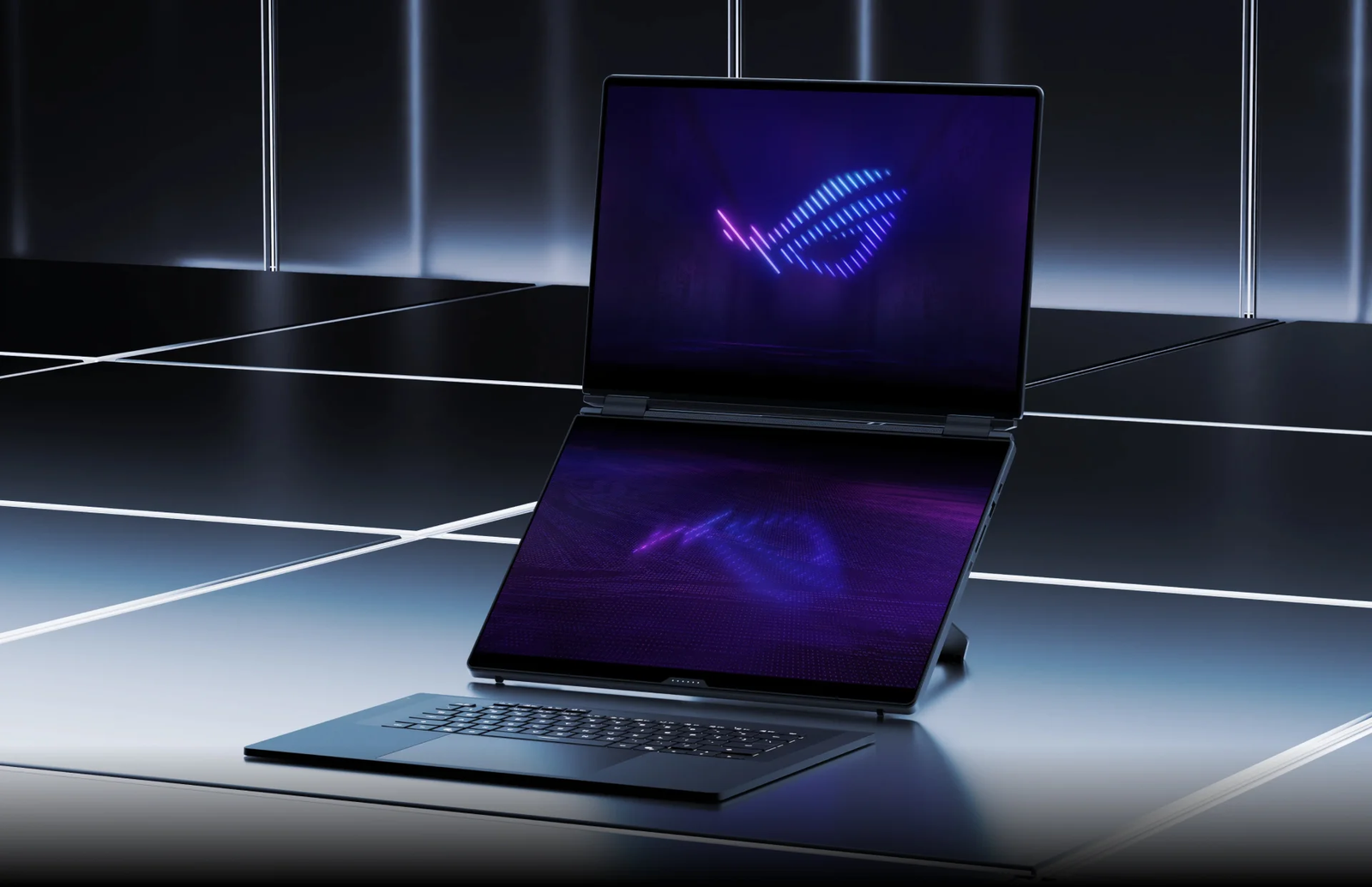
From early concepts and the TAICHI to ScreenPad Plus and full-size OLED panels, ASUS kept returning to the same problem: how do you carry a bigger workspace without carrying another monitor?
By Gene B. Geraissati, Founder & Tech Curator | Historical analysis
You are editing a video on a laptop. The preview needs room. So does the timeline. Your notes keep disappearing behind another window. A second monitor would help, but it is sitting on a desk somewhere else.
That everyday frustration makes the history of ASUS dual-screen laptops more interesting than a parade of unusual specifications. Each generation rearranged the same limited space: screens, keyboard, cooling and the person using them. The trade-offs changed along with the design.
Editorial note: OTN has not tested the laptops in this article. This is a sourced historical analysis based on manufacturer documentation, press coverage and attributed third-party reviews.
Key takeaways
- ASUS has explored dual-screen laptops since at least 2009, moving from concepts to the TAICHI, ScreenPad Plus and, finally, two full-size OLED panels.
- ROG turned the second screen into part of the cooling design: on the 2020 Zephyrus Duo 15, the raised lower panel also opened a larger air intake.
- In 2024, the Zenbook DUO made the keyboard detachable, revealing a second full display; in 2026, ROG brought that approach to its gaming flagship.
- The design pays off when the second screen has a clear job. Buyers who mostly work at one desk should also compare a conventional laptop with an external monitor.
Before the second screen: ASUS and the birth of ROG
ASUS was established in Taipei in 1989 by T.H. Tung, Ted Hsu, Wayne Hsieh and M.T. Liao, engineers with previous experience at Acer. Motherboards were central to the early company. Its later expansion into complete computers gave those engineering roots a much more visible form.
Today, ASUS spans consumer and business computers, components, displays, networking and AI-related systems. Its corporate leadership page lists Jonney Shih as chairman, Ted Hsu as vice chairman, and S.Y. Hsu and Samson Hu as co-CEOs. That is the current corporate snapshot, not a claim about market rank or which products are best.
Republic of Gamers arrived in 2006 as ASUS’s gaming brand, and the original Crosshair motherboard was its first outing. ROG was not a separate company founded around laptops; the brand later expanded into notebooks and other gaming equipment. Its role matters here because a second display in a gaming machine has to coexist with demanding graphics hardware and its heat.
2009–2012: two screens did not yet mean one workspace
The earliest ASUS dual-panel milestone located for this article is the Dual Panel Concept shown at CeBIT in 2009. GIGAZINE’s on-site photo report documented a prototype with two screens of about 13 inches, where the lower touchscreen displayed a keyboard instead of a physical one. It was a design exploration, not a finished retail laptop.
In 2012, the TAICHI took a different route. Its two screens faced opposite directions on the lid: one for conventional laptop use, the other for tablet-style interaction or sharing when the lid was closed. This was not the stacked workstation layout associated with today’s Duo machines. The purpose of the second screen was different.
These projects should not be forced into an unbroken development story. They show repeated experimentation at the same company; they do not establish that every later laptop descended directly from the same internal prototype.
2018–2019: from a screen in the touchpad to ScreenPad Plus
At Computex 2018, ASUS presented both the ScreenPad-equipped ZenBook Pro family and Project Precog. ScreenPad put a small interactive display in the touchpad area. Precog proposed two larger screens, a convertible hinge and an adaptive interface. Its proposed intelligence belongs to the concept’s ambitions, not to a list of features shipped to customers.
The 2019 ZenBook Pro Duo UX581 made a larger secondary display part of a commercial laptop. It paired a 15.6-inch OLED main screen with a 14-inch ScreenPad Plus. The smaller ZenBook Duo UX481 used a 14-inch main screen and a 12.6-inch secondary panel.
The practical idea was straightforward: keep the work above and place tools or reference material below. A video editor could reserve the main display for the preview while using the lower strip for a timeline. But the keyboard moved toward the front, and the touchpad moved to the side. More display area required a different relationship between hands, desk and machine.
2020–2021: ROG makes the second screen part of the cooling system
The Zephyrus Duo 15 GX550 arrived in 2020. Its lower screen tilted up 13 degrees when the lid opened. ASUS described this as both a viewing improvement and a way to open a larger air intake beneath the panel. The company said the team learned from the dual-screen setup of its sister device, the ZenBook Duo.
This was a tangible engineering change. It does not, by itself, prove a particular temperature or performance improvement in every workload. The original gaming platform combined Intel’s tenth-generation Core processors with graphics options up to the RTX 2080 Super.
The 2021 Duo 15 SE GX551 moved the platform to Ryzen 5000 processors and RTX 30-series laptop graphics. Its main-screen options included 4K at 120 Hz or Full HD at 300 Hz. These were alternative configurations, not simultaneous capabilities of every unit.
Meanwhile, ASUS’s creator line was also changing: the 2021 ZenBook Duo 14 UX482 adopted a tilting secondary panel, and the Pro Duo UX582 used the same general auto-tilt approach. The two branches were exploring related ergonomic problems at different sizes and performance targets.
2022–2023: reducing the gap, then updating the hardware
The Zephyrus Duo 16 GX650 introduced a taller 16:10 main display in 2022. Its revised mechanism moved the lower screen toward the main panel as it rose. That reduced the physical separation between the displays, while preserving the wide, shallow ScreenPad layout. Mini LED and Dual Spec were distinct main-display options.
The creator-focused Zenbook Pro 14 Duo OLED UX8402 also advanced the tilting idea, raising its 12.7-inch ScreenPad Plus by 12 degrees. Its name needs careful reading: the OLED label describes the 14.5-inch main display. It does not mean both panels used that technology.
The 2023 Zephyrus refresh brought the Ryzen 9 7945HX, graphics up to the RTX 4090 Laptop GPU, and a 240 Hz Mini LED main display. These components should not be backdated to the 2022 launch just because the chassis family is shared.
2024–2026: the keyboard moves out of the way
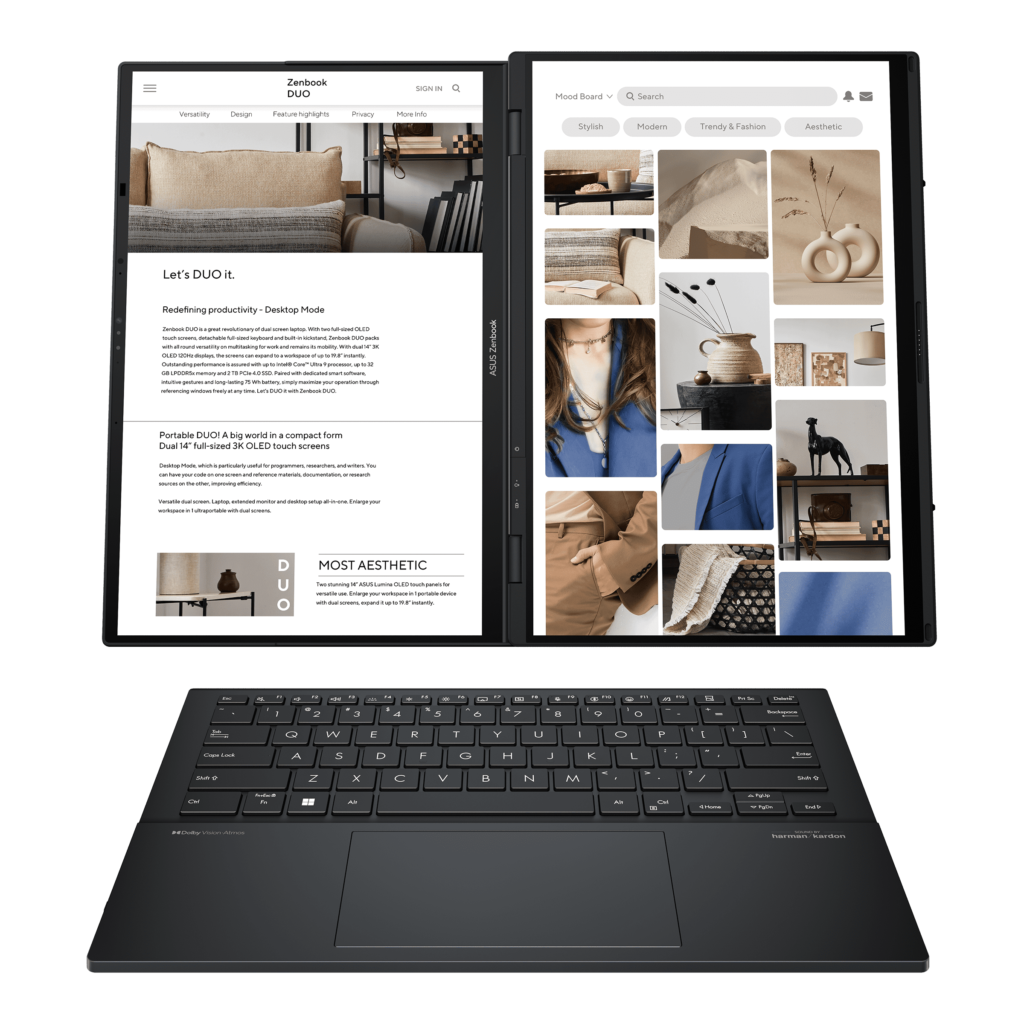
The 2024 Zenbook DUO UX8406 changed the balance: two full-size 14-inch OLED touchscreens, a detachable physical keyboard and a built-in kickstand. With the keyboard on top, it could behave much like a conventional laptop; removing it exposed a second full display.
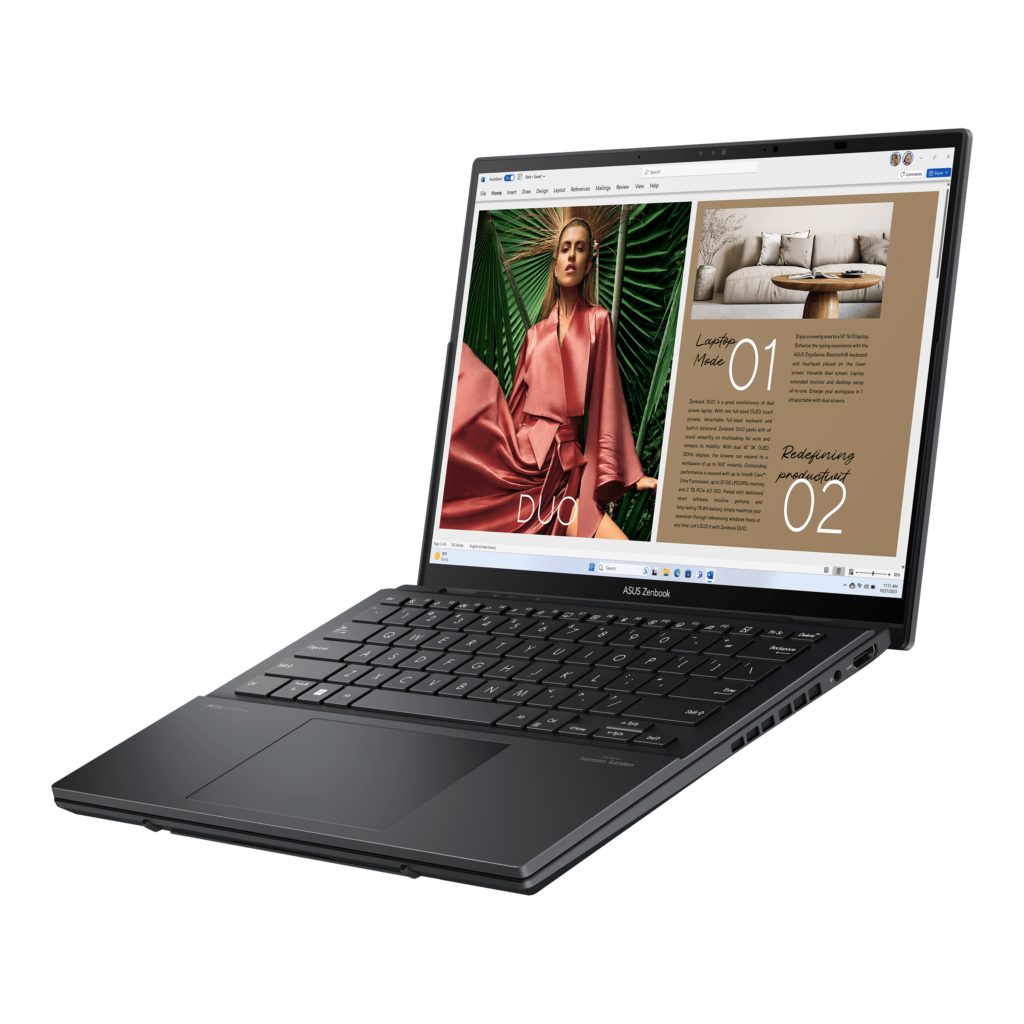
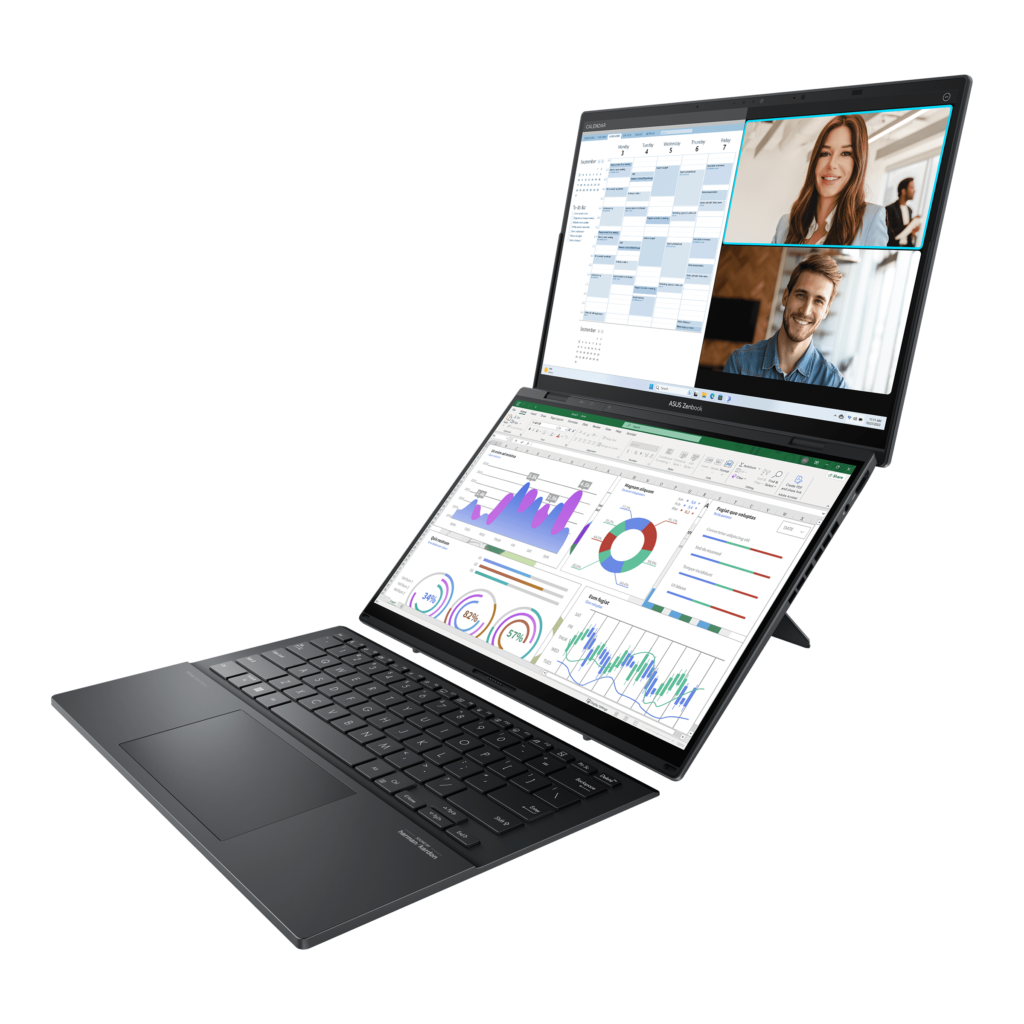
The 2025 UX8406CA refreshed that design with the Core Ultra 9 285H. In 2026, the Zenbook DUO UX8407 added another redesign, including a 99 Wh dual-battery system and 144 Hz OLED displays. ASUS also claims a 70% smaller gap between the screens than the previous generation. That percentage is the manufacturer’s comparison, not an OTN measurement.
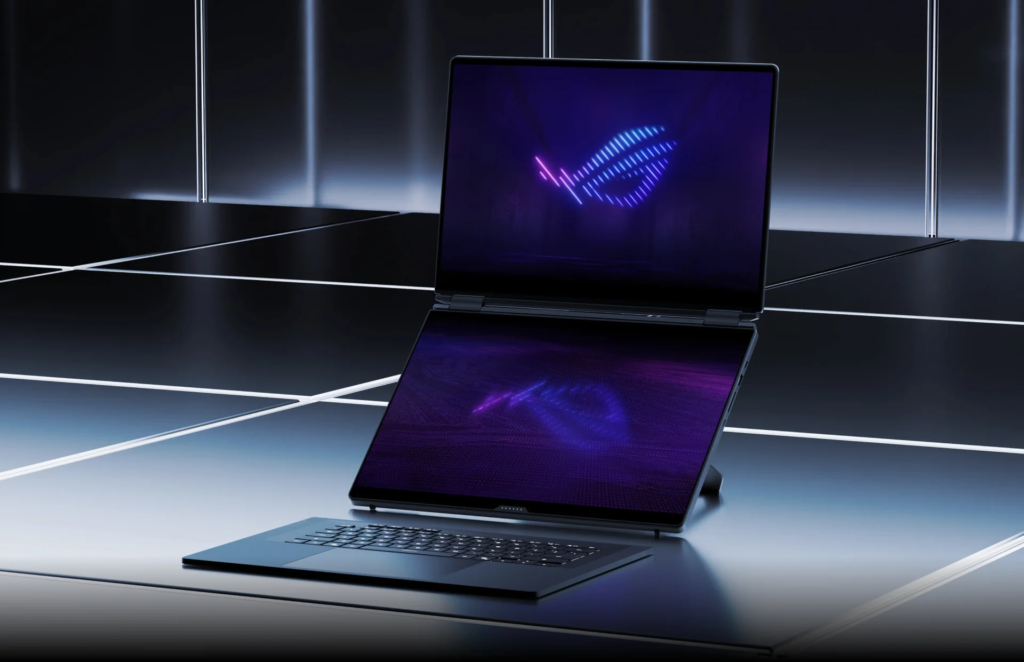
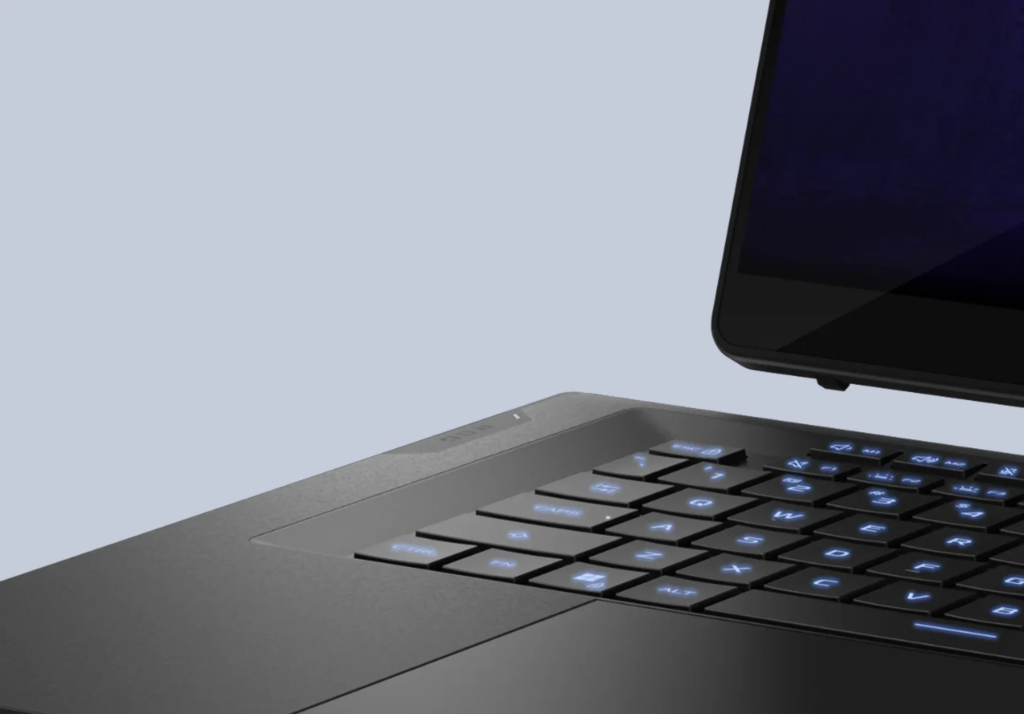
The 2026 ROG Zephyrus Duo GX651 brought the full-screen approach to the gaming branch: two 16-inch 3K OLED panels at 120 Hz, a detachable wireless keyboard and five positioning modes. ASUS lists an Intel Core Ultra 9 386H processor and graphics up to the RTX 5090 Laptop GPU. G-SYNC is supported on the main display only, so matching headline panel specifications do not make every feature identical.
The change is easy to understand without a benchmark. A shallow strip suits a timeline or controls. A full panel can hold a complete document, browser window or editing workspace. But using the keyboard separately also requires somewhere to put it.
What the evaluations support — and what they do not
In his May 2026 review, Matthew Moniz emphasizes how the 2026 design changes the usefulness of the lower screen. He discloses that ASUS sponsored the video’s historical segment and describes the rest of the review as independent. This article does not treat that sponsored history as independent verification.
OTN has not tested these laptops. We are therefore not claiming measured temperature reductions, universal color matching, guaranteed battery hours or a percentage improvement in gaming performance. Even power figures require care: regional launch material and reviewer observations do not all report the same number or conditions.
Who benefits from the extra screen?
Our assessment is that this design is most compelling when the second display already has a clear job. For an editor, that might be tools and media beside a preview. For a streamer, it could be chat and production controls while the game remains visible. For someone researching and writing, it can be a source document next to a draft. These are illustrative workflows, not measurements of time saved.

A buyer primarily seeking the most gaming performance for the money has a different priority. A buyer who mostly works at one desk should also compare a conventional laptop and external monitor. The useful question is how often the integrated display solves a real problem away from that desk.
OTN verdict: the second screen kept redesigning the laptop
Across these generations, ASUS achieved several concrete changes: a larger secondary workspace, a mechanism that served both display positioning and ventilation, a narrower gap, and eventually a keyboard that could move aside to reveal a full panel. Whether those changes are worth their cost remains a personal decision.
The second screen kept changing the rest of the laptop. Your next purchase should start with your work, not with the number of panels.
Watch: our video on ASUS dual-screen laptops
Methodology
This is a sourced historical analysis, not a hands-on OTN review. Dates, configurations and engineering descriptions come from ASUS and ROG press releases, product pages and specification sheets, plus contemporary press coverage. Third-party test results are attributed to their authors. Manufacturer claims, such as the 70% smaller screen gap, are identified as claims. Regional prices and availability are not generalized. One reference video includes an ASUS-sponsored history segment, which is disclosed above. OTN has no sponsorship or publication arrangement with ASUS. Sources were checked in October 2026.
Frequently asked questions
When did ASUS start making dual-screen laptops?
ASUS showed a Dual Panel Concept at CeBIT in 2009 and sold the TAICHI, with screens on both sides of its lid, in 2012. The stacked dual-screen layout reached stores with the ZenBook Pro Duo and ZenBook Duo in 2019.
What is ScreenPad Plus?
It is ASUS’s name for the wide secondary touchscreen placed above the keyboard on Duo models from 2019 onward, used for tools, timelines, chat or reference material.
What is the difference between the Zenbook DUO and the ROG Zephyrus Duo?
Both now use two full-size OLED screens and a detachable keyboard. The Zenbook DUO is a 14-inch productivity laptop; the 2026 Zephyrus Duo is a 16-inch gaming machine with graphics options up to the RTX 5090 Laptop GPU.
Is a dual-screen laptop better than a laptop and a monitor?
Not automatically. It makes most sense if you need the extra screen away from your desk. If you mostly work in one place, a conventional laptop with an external monitor is worth comparing.
Sources
- ASUS – About ASUS History
- Wikipedia – Asus (company history and founders)
- ASUS – About ASUS Leadership
- ROG – 20 years in the Republic of Gamers, part one: early triumphs with motherboards, laptops, graphics cards, and more
- GIGAZINE – CeBIT2009: ASUS’s “Dual Panel Concept” is a real “port-able” touch panel laptop
- Engadget – ASUS reveals TAICHI convertible notebook / tablet with dual 11.6-inch and 13.3-inch displays
- ASUS – ASUS Announces New ZenBooks, VivoBook Notebooks and Project Precog Future PC Concept at Computex 2018
- ASUS – ASUS Announces ZenBook Pro Duo (UX581) with Revolutionary ScreenPad Plus
- ROG – A groundbreaking multi-screen design makes the Zephyrus Duo 15 rise beyond compare
- PCWorld – Asus’s wild dual-screen ROG Zephyrus Duo laptop taps Ryzen 5000, RTX 30-series
- ASUS – ASUS announces latest ZenBook Duo models and tilting ScreenPad Plus at CES 2021
- ROG – ROG Zephyrus Duo 16 (2022) specifications
- ASUS – ASUS Announces All-New Zenbook Pro 14 Duo OLED (UX8402)
- ROG – ROG Zephyrus Duo 16 (2023) GX650 specifications
- ASUS – ASUS Announces Zenbook DUO, the World’s First 14″ Dual-Screen OLED Laptop
- Notebookcheck – Asus ZenBook Duo OLED UX8406CA
- ASUS – ASUS Announces Zenbook DUO (2026) UX8407
- ROG – ROG Zephyrus DUO (2026)
- Inquirer.net (ASUS Philippines BrandRoom) – ASUS Republic of Gamers announces specs and price of the 2026 Zephyrus Duo and Zephyrus G Series
- Matthew Moniz – I Tested Every Zephyrus Duo Ever Made… // 2026 ASUS ROG Zephyrus Duo 16
Images: product photos are official promotional material from ASUS and Republic of Gamers, credited and linked in each caption. They are not OTN hands-on photographs.
Editorial transparency: This article was drafted with generative AI under personal editorial direction. On Tech Now is responsible for its final review, accuracy and publication.