
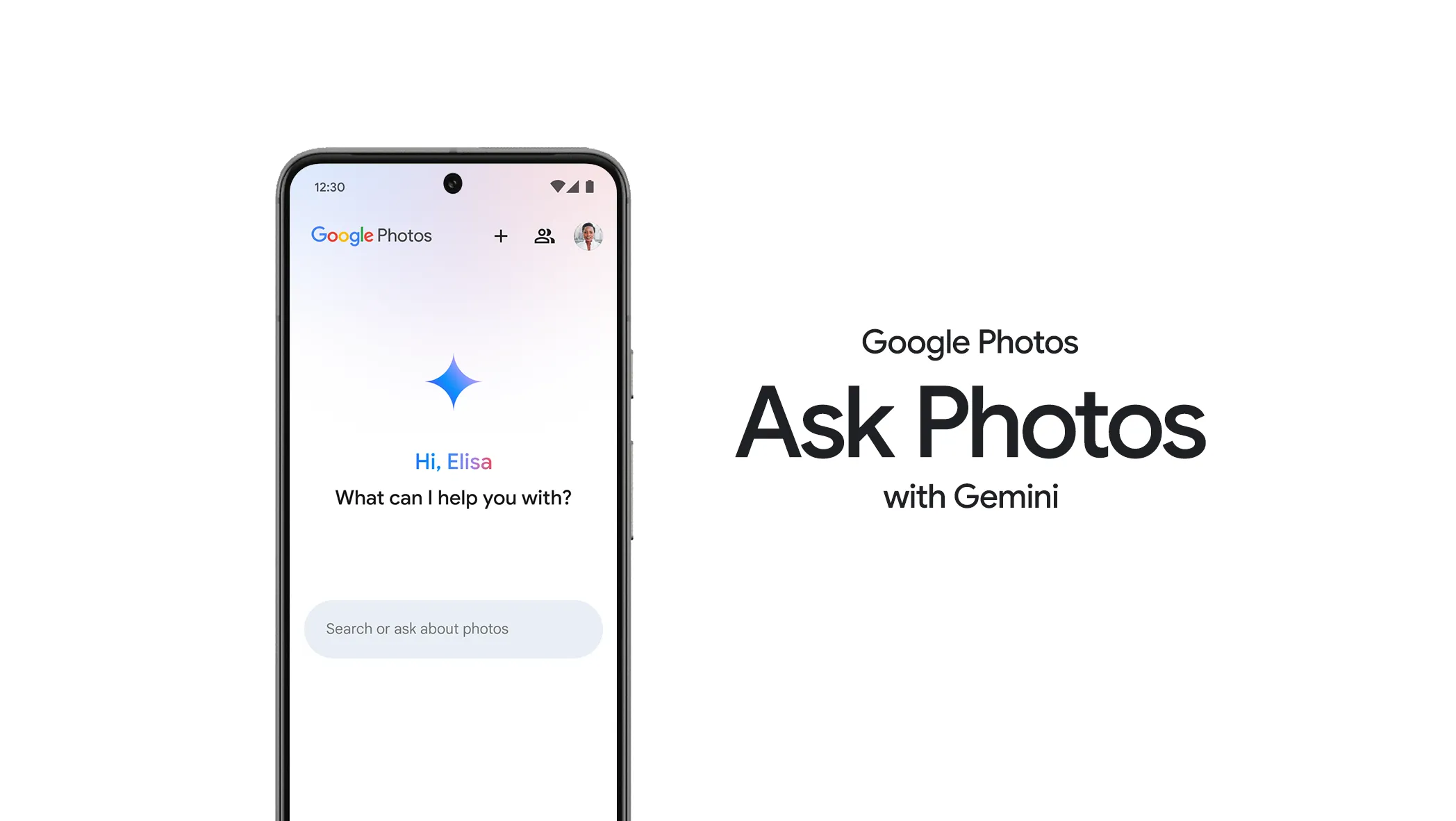
You remember the photo, not the day you took it. Google says Gemini can close that gap. Here’s what Ask Photos actually does, and what to check before you trust the answer.
By Gene B. Geraissati, Founder & Tech Curator | Explainer
You remember the photo. Your dog was running along the beach, one ear inside out, looking unusually pleased with himself. You just cannot remember when you took it. A quick look through your pictures becomes ten minutes of scrolling.
Google’s Ask Photos is built for exactly that problem: describe the memory instead of hunting for a date or a filename. It brings Gemini, Google’s AI, into the Google Photos app. So can Gemini actually find that photo? Often it can help. But a helpful match and a correct answer are not always the same thing, and Google itself still calls the feature experimental, according to Google’s Ask Photos guide.
Editorial disclosure: OTN has not tested Ask Photos. This article is based on Google’s published documentation, help pages and demonstrations. We have not measured its accuracy or speed. Availability, settings and features may change after publication. The cover image shows Ask Photos as Google introduced it in 2024 (Image: Google); the current interface may differ.
Key takeaways
- Ask Photos lets you search your Google Photos library by describing a memory in everyday language. Google still labels it experimental.
- Ask Photos, the Ask button and connecting Photos to the Gemini app are three different entry points, with different requirements.
- The best searches start simple: a familiar subject plus one clue you actually remember.
- Always open the result. Finding the right photo and explaining it correctly are two separate checks.
- Turning it on requires Face Groups and location estimates, so review those settings before you opt in.
First, which Google feature are you using?
Similar names make different Google features sound interchangeable. They are not, and the difference explains why a tutorial may not match your phone.
- Ask Photos helps you search and ask questions about your library inside the Google Photos app.
- The Ask button starts from a photo you have already opened. It can help you discuss that image, find related pictures or request edits, as shown in Google’s published examples.
- Google Photos connected to the Gemini app is a separate route. You talk to Gemini and connect your photo library if your account is eligible. That connection has its own requirements and controls, set out in Google’s Gemini Apps help page.
This article focuses on the first one: finding a picture you remember, inside Google Photos. It is not a way to look through somebody else’s private pictures.
What changed in September?
Google keeps expanding what its photo tools can do. On September 24, 2026, it highlighted Photos in Gemini Spark, including selecting, brightening and sharing family portraits from a weekend trip with a single request. Google lists that capability for eligible Google AI Pro and Ultra subscribers in the US, according to its September Google Photos update.
That makes it even more important to know which experience a video or tutorial is showing. Something demonstrated in Gemini does not necessarily describe the controls, or the availability, you will find inside Photos. And you do not need any of the new extras to solve the everyday problem: finding one picture.
Start with the memory you actually have
The interesting part is the gap between what you remember and how a photo is stored. You might remember a picnic, a red coat or a meal on a trip, while the file itself has a name that tells you nothing.
Google has published examples of searching for spring-like photos, finding more pictures similar to a dog photo and narrowing hiking results to a particular area. Those are Google’s demonstrations, not results from an OTN test.
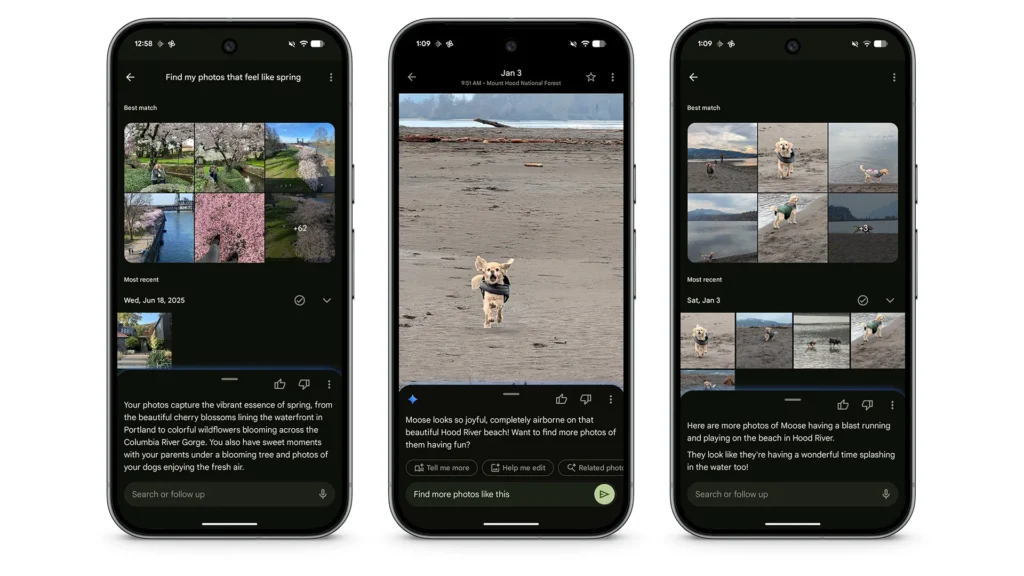
Our recommendation is to begin with a familiar subject and one dependable clue. For example:
- “Our dog at the beach.”
- “Our dog at the beach in 2024.”
- “Photos from our picnic by the lake.”
These are illustrative prompts, not searches OTN has run or guaranteed results. Add a year or a place only if you actually remember it. An invented detail can send your search in the wrong direction before the software has even started.
You may not need a longer question
Typing a whole sentence does not automatically mean you are using Ask Photos. Google’s classic photo search also understands descriptive phrases, and names help when you have labelled the people or pets in your library.
Google’s current search experience shows relevant results quickly while Gemini works on more complex requests, and you can switch between classic results and Ask Photos results, as described in Google’s search update.
For everyday use, there is no prize for asking the longest question. If a simple clue gets you to the right picture, the search has done its job. If the results are too broad, add one reliable detail. If a complicated request goes nowhere, make it simpler.
Can you use it where you live?
Google says Ask Photos is rolling out to a select number of countries and regions, in several languages. Availability and features vary by location, and access to one Google experience does not guarantee access to another. Whether you are in the US, the UK or Australia, check what your own app offers.
Google’s eligibility and privacy page lists the current requirements for Gemini features in Photos: being 18 or older, being an eligible user in a launched location, turning on Face Groups and selecting your own face, and allowing location estimates. Face Groups means Photos groups pictures of the same person or pet together. Read those choices before deciding to enable them.
To opt in, look for the invitation in the Search tab, or in Photos settings under Gemini features in Photos. Follow the options your app actually shows. If Ask Photos is not available to you, or you would rather not turn it on, classic search remains an option.
Open the photo before you trust the answer
Start with a picture you know exists in your collection. A familiar image gives you something concrete to check, unlike a vague memory you cannot verify.
When a result appears, open it. Is it the right dog, the right beach, the right occasion? A thumbnail can look close enough while showing a different day.
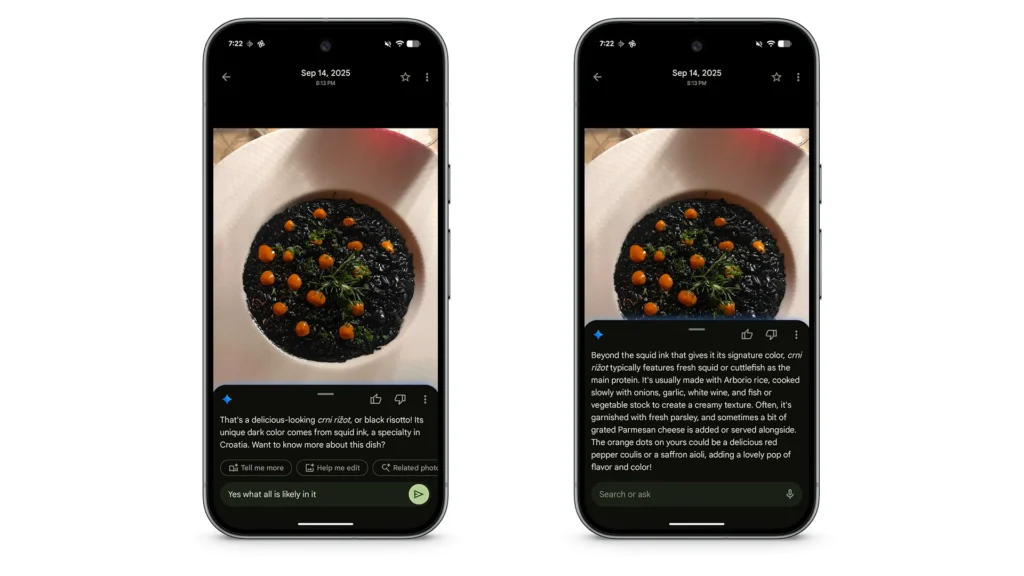
Then separate two questions: is this the picture I wanted, and is the explanation about it correct? You can often answer the first just by looking. The second may need more checking. Google warns that Ask Photos may give unexpected or inaccurate results.
If an answer identifies a restaurant, look for evidence such as a readable sign or your own travel notes. A confident sentence is not proof of where you ate. That is an OTN checking habit, not a claim about a failure we observed. Likewise, a search that comes up empty does not prove a photo has been deleted.
What happens to your private photos?
For Gemini features inside Google Photos, Google says your personal Photos data is never used for ads, and that it does not train generative AI models outside Google Photos with that data. Read the wording carefully: this is not a promise that your photos are never processed by AI.
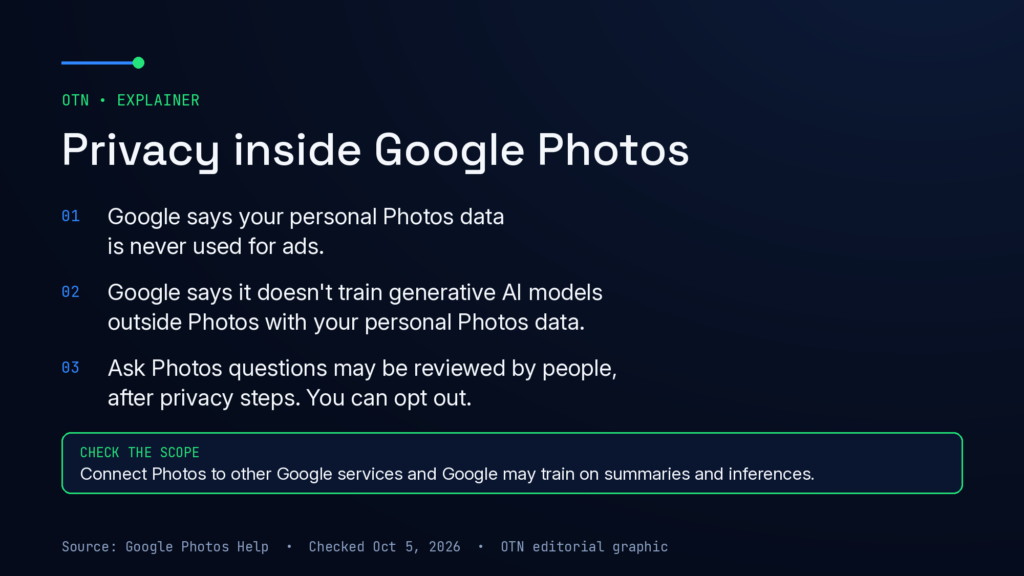
Google also treats your questions and its answers differently. Ask Photos queries may be reviewed by people after privacy protections are applied, such as disconnecting them from your account, and you can opt out of that query review in settings. Responses are generally not reviewed by people unless you submit feedback or, in rare cases, to address abuse or harm. Feedback can include additional information, so check what you are sharing.
Connecting Photos to other Google services changes the picture. In that case, Google says it may train on things like summaries, inferences and generated media based on the contents of your Photos library. Before deciding, check which experience you are enabling and which controls apply. You can always prefer ordinary search, and you can change your mind after trying it.
OTN verdict: a useful lead, not a final answer
Can Gemini actually find that photo? Ask Photos gives you a documented, genuinely practical way to search your collection with descriptions and follow-up questions. For anyone with years of pictures and no idea when they took them, that is a real improvement over endless scrolling.
Whether it finds your particular picture is something you still need to check. The habit that matters is simple: describe what you remember, add one clue you trust and open the result.
The goal is not a clever answer. It is the right photo, with less frustration. A convincing explanation only helps when the picture in front of you backs it up.
Methodology
OTN reviewed Google’s Ask Photos help pages, its eligibility and privacy documentation for Gemini features in Photos, its Gemini Apps connection guide, its classic search guide and its published Ask Photos examples and product updates, including the September 24, 2026 Google Photos update. Sources were checked on October 5, 2026. OTN did not test Ask Photos, and the example searches in this article are illustrations, not test results.
Frequently asked questions
What is Ask Photos in Google Photos?
Ask Photos is a Gemini-powered feature in the Google Photos app that lets you search your library and ask questions about your pictures using everyday language. Google describes it as experimental, so results can be inaccurate.
Is Ask Photos available in my country?
Google is rolling Ask Photos out to a select number of countries and regions, and availability can vary within a country. You also need to be 18 or older and turn on Face Groups and location estimates. The simplest check is to look for the invitation in the Search tab or under Gemini features in Photos settings.
Does Google use my photos to train its AI?
For Gemini features inside Photos, Google says it does not train generative AI models outside Google Photos with your personal Photos data, and never uses it for ads. If you connect Photos to other Google services, Google says it may train on summaries, inferences and generated media based on your library.
Sources
- Google Photos Help – Use Ask Photos
- Google Photos Help – Gemini features in Photos: eligibility and privacy
- Google Photos Help – Search your photos
- Gemini Apps Help – Connect Google Photos to Gemini Apps
- Google – Ask button and Ask Photos tips
- Google – Updates to Ask Photos search
- Google – Google Photos updates (September 2026)
- Google – Ask Photos announcement (Google I/O 2024)
Images: product screenshots and promotional material published by Google, credited and linked in each caption. Privacy graphic: OTN, based on Google Photos Help.
Editorial transparency: This article was drafted with generative AI under human editorial direction. On Tech Now is responsible for its final review, accuracy and publication.