
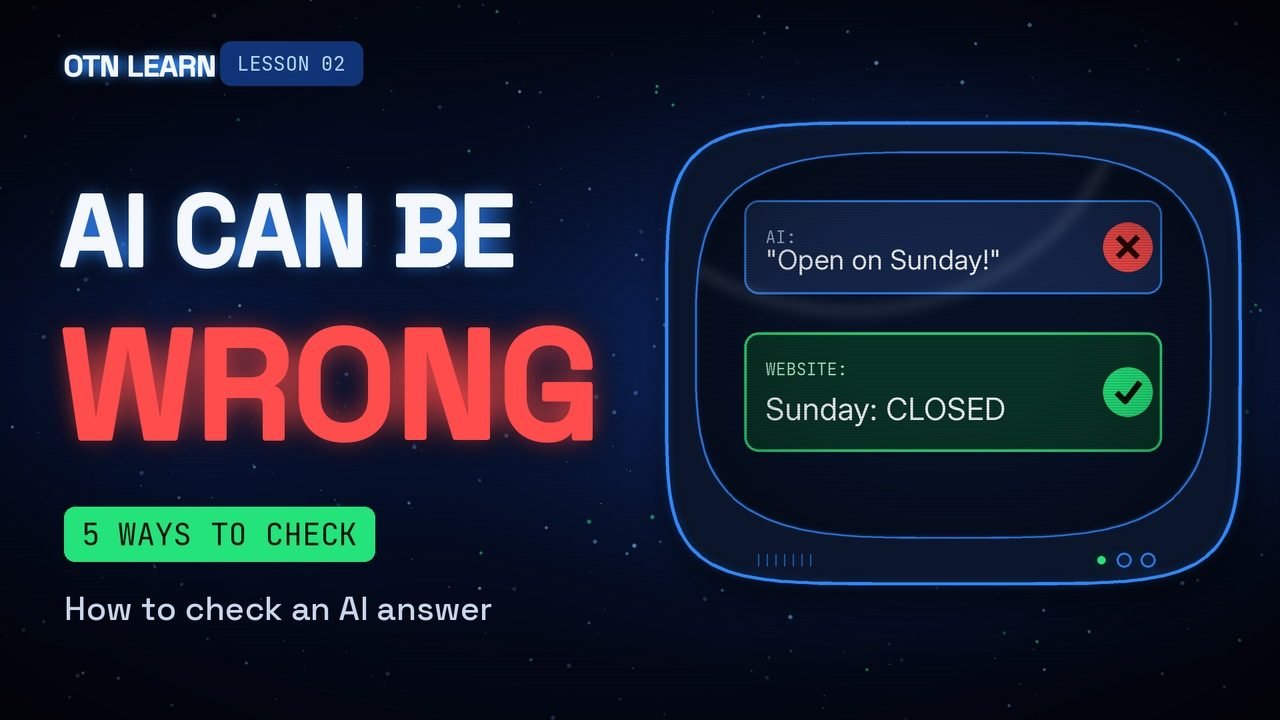
AI can sound completely sure and still be wrong. Here is how to catch the mistakes before they cost you.
By Gene B. Geraissati, Founder & Tech Curator | Tutorial
AI chatbots are amazing helpers, but they have one big weakness: they can mix up dates, invent numbers, and even make up quotes or links that don’t exist, all in the same confident tone. This is the full written version of OTN Learn lesson 02, with every example from the video: five simple habits, three common mistakes and one golden rule.
Key takeaways
- A smooth, confident answer is not the same as a correct one.
- Always check answers about health, money, the law, dates, names and numbers.
- Five habits: know when to check, ask for sources and open them, use a second source, ask the AI to check itself, and watch for warning signs.
- The golden rule: the more it matters, the more you check.
Why AI gets things wrong
A chatbot writes by predicting which words should come next, based on what it learned. That has three consequences:
- It predicts words. It is very good at sounding right, which is not the same as being right.
- It can be out of date. What it learned stops at a certain point in time.
- It doesn’t always look things up. Some answers come from memory, not from a search.
When an AI invents something that sounds real, people call it a “hallucination.” It is not lying on purpose; it is filling a gap with something that looks plausible.
Step 1: Know when to check
You don’t need to check everything. Save your energy for the answers that matter.
- Always check: health, money, the law, dates, names and numbers.
- You can relax a little: ideas, first drafts, jokes and funny captions.
Step 2: Ask for sources, then open them
Ask the AI where the information came from. Then, and this is the important part, click each link and make sure the page really says what the AI told you. Sometimes the link doesn’t work, or the page says something different.
Try this: “Where did you get this? Give me links.”
Step 3: Check a second source
Look it up somewhere else: a search engine, an official website or a trusted news site. Fact-checkers call this “lateral reading”: instead of trusting one page, you open new tabs and see what other reliable sources say. If two good sources agree, you are in much better shape.
Step 4: Ask the AI to check itself
A simple follow-up can make the AI review its own answer and point out weak spots.
Try this: “Are you sure? What could be wrong in your answer?”
You can also ask the same question in a new chat. If the two answers don’t match, that is your signal to dig deeper.
Step 5: Watch for warning signs
These are the spots where mistakes like to hide:
- Very exact numbers with no source.
- Quotes from famous people.
- News from the last few days.
- Words like “always” and “never.”
Three common mistakes
- Copying an answer without reading it first.
- Trusting a link you never opened.
- Letting AI have the last word on your health, your money or a legal question. For those, talk to a professional.
A quick example
You ask a chatbot if your favorite store is open on Sunday, and it says yes. You check the store’s own website, and it says closed on Sundays. One quick check just saved you a wasted trip.
The golden rule
OTN verdict: AI is a great helper, but you are the one who decides what to trust. A few seconds of checking is cheap insurance.
The more it matters, the more you check.
Watch: our video on how to check an AI answer
Methodology
This lesson draws on OpenAI’s own research on why language models make things up, and on the lateral reading method used by fact-checkers, both listed in the sources below. The examples were written by OTN and work with any of the major chatbots.
FAQ
Why does AI make things up?
Because it predicts likely words instead of looking up facts every time. When it doesn’t know, it can still produce an answer that sounds right.
If the AI gives me links, is the answer correct?
Not necessarily. Links can be broken, or the page can say something different. Always open them.
Are chatbots with web search more reliable?
They are usually better with recent news, because they can read current pages. But they can still misread a page, so the same checks apply.
Can I use AI for health, money or legal questions?
It can help you understand a topic or prepare questions. But for decisions, talk to a doctor, a financial advisor or a lawyer.
Previous and next lessons
Missed lesson 01? Start here: OTN Learn 01: How to write a good prompt. Next up, lesson 03: first steps with Claude.
Sources
- OpenAI – Why language models hallucinate
- Media Helping Media – Quick guide: Lateral reading for fact-checking
Images: OTN / AI-generated with Google Flow.
Editorial transparency: This article was drafted with generative AI under personal editorial direction. On Tech Now is responsible for its final review, accuracy and publication.